
How to uninstall an offline app or licence from your device
Important: We currently use a single-use licence token tied to device. To remove an app from a device, the user must uninstall the app and notify MarTech3D support to renew the device token.
Uninstalling MarTech3D Launcher From Device
there are a couple of ways to uninstall your offline app.
- Search for MarTech3D laucher from Windows Home menu and click uninstall

-
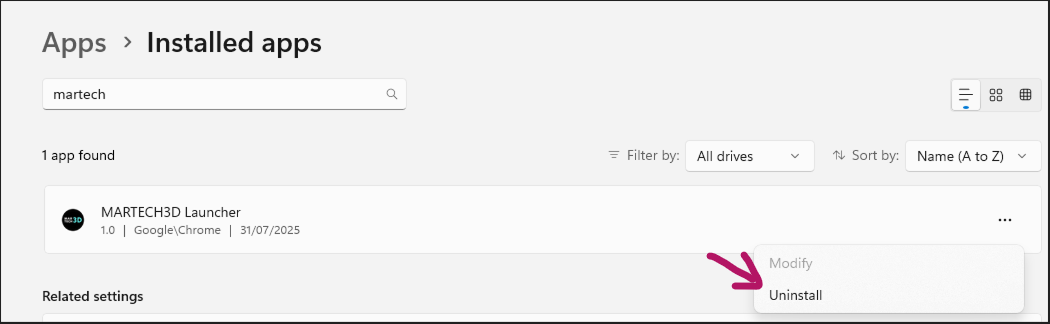
Go to your Windows->Apps then search for MarTech3D launcher, click on the ellipse icon then see uninstall button
-
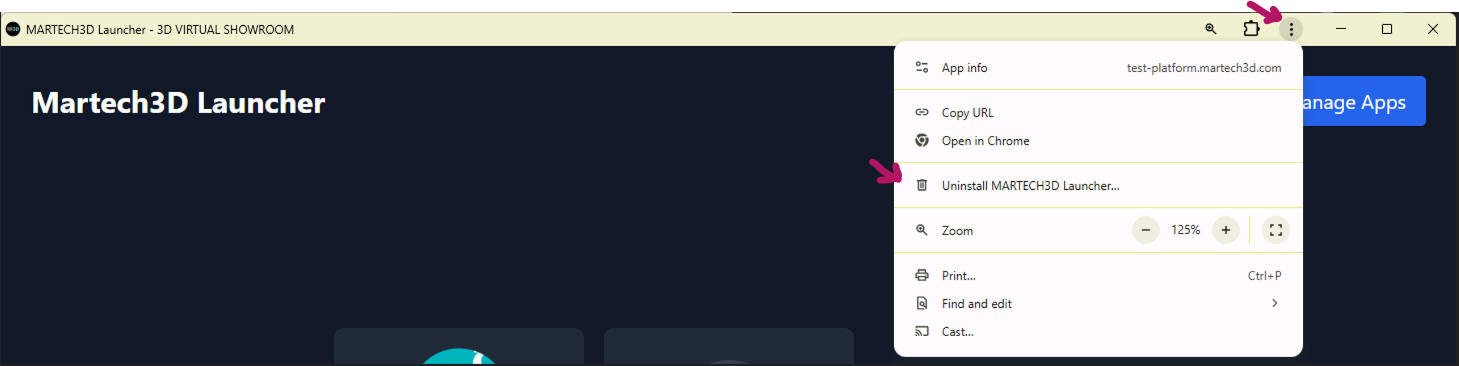
Open your MarTech3D Launcher, click on the vertial ellipses icon on the top right, then click on uninstall button
-
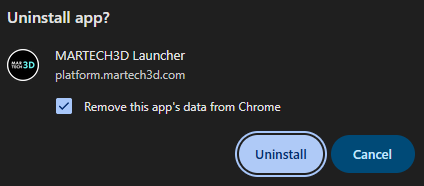
Ensure that the option to "Remove this app's data" is checked before clicking Uninstall.
Renewing device licence token
Contact us at +447503915593 or support@martech3d.com